Turn your company’s information into answers and useful work. DigiRAG brings knowledge search, configurable agents and workflows together in one platform.
01
Find answers in your own knowledge
Connect the information your team needs, organise it into datasets and ask questions in natural language. Answers can refer back to the underlying sources, so people can check the context. Access is configured for the users and information involved.
02
Build agents around the way you work
Describe an agent in conversation or use the graphical designer. Give it the agreed knowledge, tools and instructions, then test the workflow with representative examples. Your team can begin with a single task and extend the system as needs develop.
DigiRAG interface shown with illustrative data. Interface in English.03
Connect actions with the right controls
Workflows can use authorised integrations to handle documents, prepare messages or move information between systems. Administrators decide which actions run directly and which require a person’s review. Permissions, triggers and connections are configured for each use case.
04
Choose your deployment and models
Deployment and model choices can be adapted to the project, including private infrastructure and external model providers where appropriate. Processing, data location and available integrations depend on the selected configuration and provider terms.
How knowledge becomes an answer
DigiRAG prepares selected files for retrieval using extraction, OCR where needed and document metadata. Hybrid retrieval combines exact terms with meaning-based search; the model receives relevant passages and can cite their sources. Check important answers against the original and test the languages and document types you use.
Sources, schedules and permissions
Available connectors include selected collaboration, mail, storage, database and business services. Choose resources and filters, then schedule updates at the supported intervals. Reading, indexing and writing back are distinct capabilities: each connection, credential and action needs its own agreed permissions.
Protect access and handle sensitive records
Administrators can enable passkeys and define user and resource permissions. Reversible pseudonymisation can replace identifying details with consistent references while the mapping stays in a controlled environment. Configure the full processing path, including any connected tools, before working with sensitive material.
Make the platform fit your organisation
A sole entrepreneur can start with a small set of tasks; larger teams can use separate agents, access roles and datasets. Capacity is sized for the workload. Digitrans can extend integrations, workflows, data handling or interfaces where the standard configuration needs to fit a particular process.
Import business documents or connect selected resources such as SharePoint, OneDrive, Google Drive, mailboxes and other supported services. Configure folders, filters and update schedules for the information you need. PDF processing can combine text extraction and OCR; results depend on document quality and the chosen settings.
From a mailbox to a useful outcome
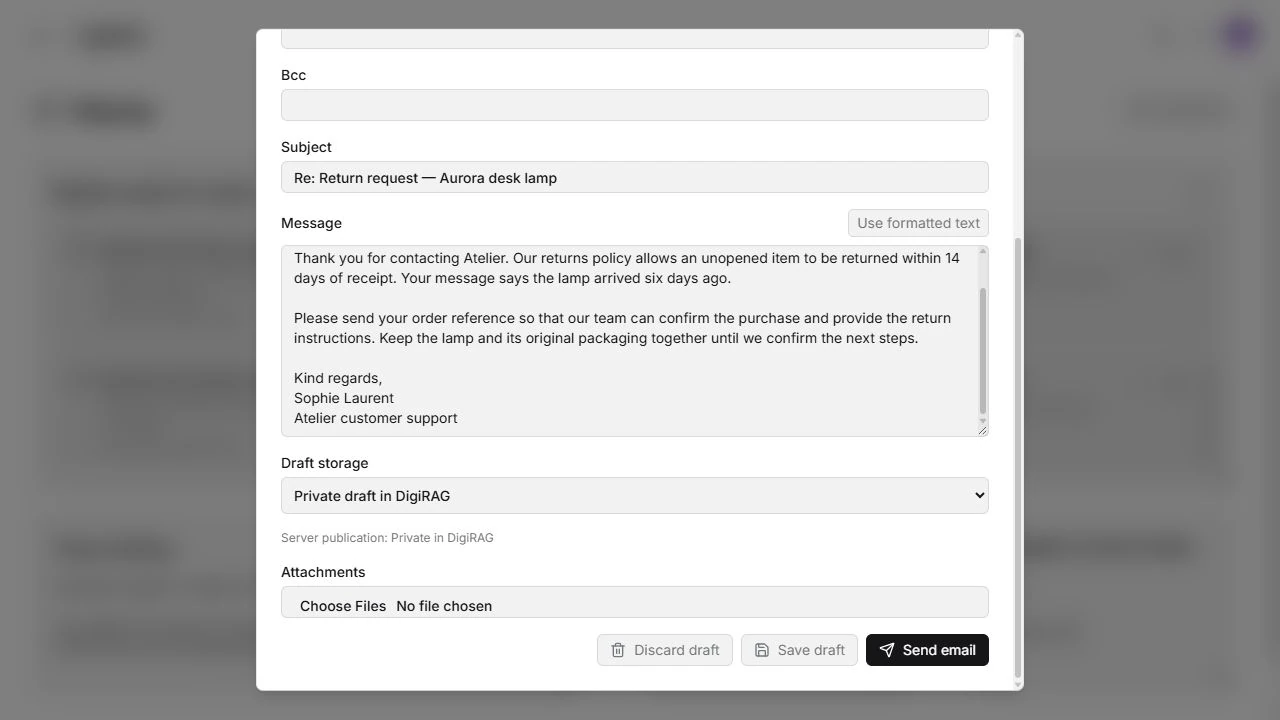
Connect a supported mailbox, classify incoming messages and use approved knowledge to prepare an answer or create a task. The Mail workspace brings messages, drafts and outgoing status together. Depending on the workflow, an authorised action can send directly or a person can review and send. Mailbox-provider permissions and configuration still apply.
DigiRAG interface shown with illustrative data. Interface in English.
Process invoices and hand off results
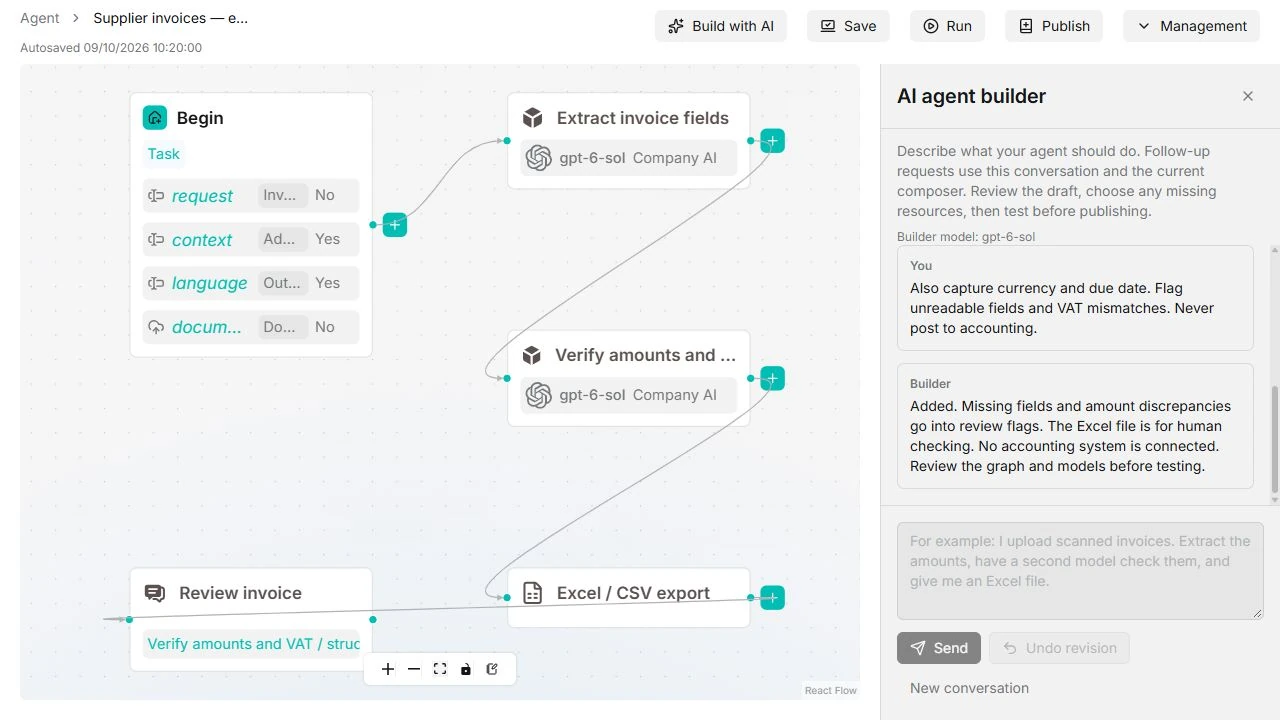
A configured workflow can take invoices from connected sources, extract fields and flag uncertain or inconsistent information. Results can be prepared in an agreed format, including spreadsheets or CSV, or passed to an accounting workflow through an appropriate integration. Posting, payment and other write actions require their own permissions and controls.
A workspace that can grow with you
Bring tasks, drafts and shortcuts into a workspace and start agents from a reusable catalogue. The platform can support an individual entrepreneur or a larger organisation, with implementation and capacity planned for the actual workload. APIs and supported MCP connections can extend a workflow to agreed external tools.
Apply access and model policies
Administrators choose available model providers, manage access and configure the resources used by each agent. A local-only dataset policy requires compatible local models for AI processing and excludes that resource from the DigiRAG MCP interface. Review every connected tool and processing path for your requirements.