
DigiRAG · business workflows
AI email automation
Handle recurring messages with an agent that can use your knowledge and the tools you authorise.
Illustrative scenario
A practical starting point
A shared mailbox receives a routine request. The agent identifies the topic, looks up relevant information and prepares a response or a follow-up task.
Configure mailbox permissions, sending rights and whether a person reviews the result before any message is sent.
What to agree in the implementation
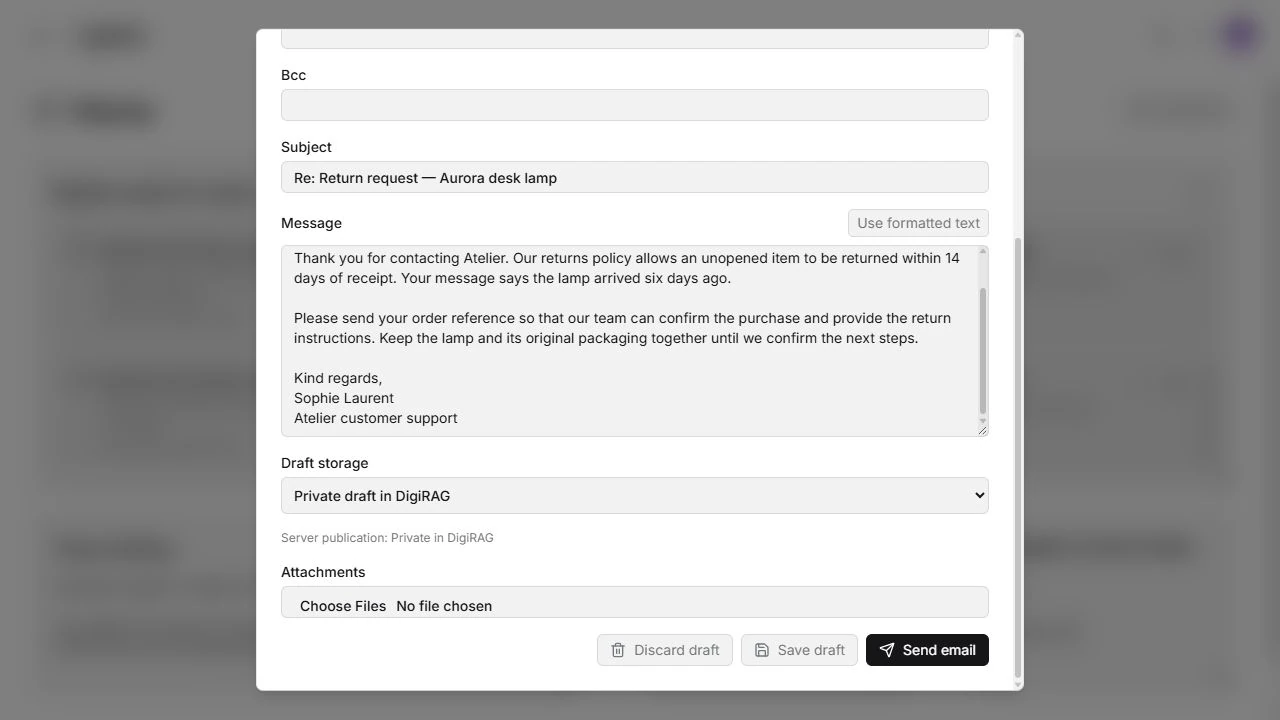
Gmail, Outlook and supported IMAP/SMTP mailboxes can be considered. Agree the selected folder, schedule, mailbox owner and separate reading, drafting and sending permissions. A generic mailbox draft may remain private in DigiRAG or be published to the server’s Drafts folder where supported. Mail automation and indexing the mailbox for retrieval are separate choices; provider authentication and tenant settings still apply.
What to prepare for a first test
Collect representative messages, approved answers and examples that should be excluded. Identify the mailbox owner, sending rights and the point where an uncertain case needs a person.
Decide what happens next
Administrators define the permitted sources, tools and access. Depending on the process, a step can run directly, request a review or pass the case to a person.
Part of the wider platform
Combine this workflow with company knowledge search, other agents and a workspace for tasks and results. Start with one process and expand when it makes sense.
Need a different process? We can also build a tailored solution.
BUSINESSAI · LUXEMBOURG
Which piece of work would you change first?
Tell us about the process, its users and the result you need. We will help define a sensible next step.